
Studio field guide
The capability library.
Find a task. See how it’s done. Browse real examples, copy a request, and check what you’ll need.
All capabilities
No capabilities match.
Cinematic shots
Chases, frozen moments and giant-scale reveals, each from a few sentences.
Each clip is 10 seconds, generated with AI.
Ask Studio
Studio first makes the opening still, then writes a second-by-second shot plan: what moves, what the camera does, where the cuts land, and what must never change.
See the full prompt
Visual Style
Photoreal rally-stage coverage in late-afternoon forest light, exactly matching the first frame. Natural motion blur on exterior shots, credible mechanical vibration on the onboard shot. No colour or lighting change between shots.

Subject
The compact two-door gravel rally car from the first frame, unchanged for the entire shot: matte deep-green body, white roof, short rear wing, four round auxiliary lamps across the front bumper, white five-spoke wheels, chunky gravel tyres, red rubber mud flaps behind all four wheels, plain blank white door panels carrying no number and no lettering, and one chip in the paint at the front-left splitter. The driver sits on the left and the co-driver on the right, both in plain white helmets. Neither crew member changes seat, helmet or suit at any point. Dust accumulates on the car through the shot; it never becomes clean, and the splitter stays chipped.

Timeline, one continuous rally stage run in three shots, ten seconds total

0 to 3.0s, SHOT ONE, rear-quarter aerial chase identical to the opening frame. The car accelerates away down the gravel straight. Loose stones lift from the rear tyres. The dust plume grows behind the car and drifts toward frame left. The road ahead of the car stays completely clear of dust. Cut.

3.0 to 6.5s, SHOT TWO, hood-mounted onboard camera looking forward over the green hood through a dirt-spotted windscreen. A right-hand corner arrives. In this exact order: the driver brakes once and the nose visibly dips; one downshift; the wheel turns right; the outside front suspension compresses and the horizon rolls; the rear rotates toward the apex; the wheel comes back left in a countersteer; the car straightens and accelerates out onto the road beyond. The hood, one wiper and the windscreen dirt stay in frame throughout and vibrate with the road surface. Cut.

6.5 to 10.0s, SHOT THREE, long lens from a fixed roadside position, side-on and slightly ahead of the car. The car comes uphill toward a blind crest. All four wheels leave the ground by less than half a metre. The body holds a slight nose-up pitch in the air. It lands front wheels first and rear wheels a fraction later, the suspension compresses fully and rebounds once, and the car stays inside the road edges and keeps travelling. The shot ends with the car still moving.

Camera
Three fixed camera roles with one cut between each and no other cuts anywhere. The aerial stays above and behind the car and never enters the dust plume. The onboard camera is rigidly mounted to the car and only vibrates. The roadside camera is locked off and does not pan, track, zoom or follow. No orbiting, no handheld whip, no speed ramp and no slow motion at any point.

Negatives
No text, no lettering, no numbers, no sponsor decals, no logos, no watermark, no subtitles. No second competition car and no side-by-side racing. No spectators, no marshals, no crash barriers and no tarmac. No dust ahead of the car. No sideways slide without braking, rotation and countersteer. No landing without suspension compression. No clean car. No crew swapping seats or changing helmets. No camera placed inside the driving line. No sparks, no fire, no explosion, no crash and no rollover.
Ask Studio
Studio first makes the opening still, then writes a second-by-second shot plan: what moves, what the camera does, where the cuts land, and what must never change.
See the full prompt
Visual Style
Photoreal cinematic photography, overcast light just after heavy rain, wet reflective asphalt, cold neutral colour, exactly matching the first frame. No colour or lighting change at any point.

Subject
An ordinary city intersection one instant into an ordinary accident, and one exempt figure in a plain dark coat who is the only thing that keeps moving. Eight specific objects hold their exact state once the freeze begins, and every one of them is present for the whole shot: a cyclist mid-fall with both wheels off the ground; an upside-down takeaway cup with its contents held in the air as one rigid ribbon; a pigeon with wings fully open at full span; a taxi with its front wheels turned hard and its front suspension compressed; a white plastic bag at the top of its lift; a dropped phone hanging a few inches above the road; a spray of loose grit lifted off the tarmac; a woman mid-stride with her scarf held out horizontally. Nothing fades, dissolves, drifts or disappears at any point, including the liquid, the grit and the bag.

Timeline, one continuous shot, ten seconds total

0 to 1.5s: the scene runs at completely normal full speed. The cyclist is falling, the cup is turning over, the pigeon is climbing, the taxi is braking, the woman is walking, the grit is flying. Everything is in ordinary motion and nothing is unusual.

At 1.5s: a single silent pulse crosses the frame once, with no flash, no shockwave ring and no visual effect other than a brief change in the light.

1.5 to 4.0s: from that instant everything except the exempt figure holds its exact position and stops dead. The cup's liquid stops as a solid shape in the air. The pigeon's wings stop open. The grit hangs. The bag hangs. Nothing settles, sags, sinks or continues even slightly. The exempt figure, previously just another pedestrian on the far pavement, keeps walking at an ordinary pace and steps down into the road.

4.0 to 6.0s: the figure walks a straight line through the frozen tableau, passing within arm's reach of the falling cyclist and then close beside the suspended cup, so their real sizes read against each other. The figure touches nothing and looks at nothing.

6.0 to 10.0s: the held peak. The figure continues the same steady walk toward the far side of the intersection and everything else in frame remains absolutely motionless. Nothing resumes. The shot ends with the world still frozen and the figure still walking.

Camera
Reduced to one thing: a slow constant lateral track from left to right across the intersection, at the same speed for the entire ten seconds. No push in, no pull back, no orbit, no rotation, no rack focus, no handheld motion and no speed change. The camera never stops and never accelerates.

Negatives
No text, no lettering, no numbers, no signage copy, no logos, no watermark and no subtitles. No blood, no injury and no distress. No flash, no shockwave, no glowing ring, no energy effect, no particles, no time-ripple, no glitch, no chromatic aberration and no clock imagery. No bullet-time camera arc and no multi-camera rig look. No crowd of onlookers. No object continuing to move slowly after the freeze. No object resuming motion. No slow motion; the frozen objects are stopped, not slowed.
Ask Studio
Studio first makes the opening still, then writes a second-by-second shot plan: what moves, what the camera does, where the cuts land, and what must never change.
See the full prompt
Visual Style
Photoreal cinematic photography, overcast flat daylight, muted desaturated colour, damp air, exactly matching the first frame. Documentary weight rather than spectacle. No colour or lighting change between shots.

Subject
One creature far larger than any building in the city. Its anatomy is fixed and stated once: exactly four legs, exactly one tail, exactly one head, and no wings. All four legs stay attached to the body, visually separate from one another, anatomically consistent, and present for the entire shot. No extra limbs, no tangling, no limbs merging, no change to the anatomy at any point. Dark wet hide, matte, no glow anywhere on it.
Three reference objects establish scale and stay in frame: the city bus in the foreground, the row of streetlights down the pavement, and the red container crane at the dockside. Every piece of debris that leaves a building is a real physical object that remains visible until it lands; nothing fades, dissolves or disappears.

Timeline, three shots, ten seconds total

0 to 4.0s, SHOT ONE, exactly the opening frame, camera locked off at human eye level on the pavement. For the first 2.2 seconds nothing unusual happens at all: a car passes down the street, two pedestrians walk along the right pavement, gulls cross the grey sky, the wet tarmac holds its reflections. The bus stands at the stop with passengers aboard. At 2.2 seconds every puddle in the street jumps at once and grit falls from a window ledge. Immediately after that, one colossal four-toed foot lands in the street at the far end of the block, reaching higher than the eight-storey buildings beside it. The pavement does not fail yet. A full second passes. Only then does the tarmac fracture outward from the contact point in a widening ring, and only after the fracture do the slabs drop and tilt. The bus rocks once on its suspension. The pedestrians turn. Cut.

4.0 to 6.0s, SHOT TWO, camera inside the bus at seat height looking out through the side windows, handheld only as much as a person holding a phone would be. A passenger puts a hand flat against the glass. A wall of dark wet hide, far wider than the bus is long, passes across the windows from left to right at an unhurried pace. The light inside the bus goes dark as it passes and comes back afterwards. The window glass visibly flexes. The leg never speeds up. Cut.

6.0 to 10.0s, SHOT THREE, high wide from far enough back that the streets read as a grid, with one whole office tower and the red container crane both in frame beside the creature's body. From 6.0 to 7.0 seconds the creature crosses the frame at full speed and its shoulder passes through the upper floors of the tower. From 7.0 to 7.6 seconds the tower does nothing visible except buckle at its eighth-floor facade while the lower columns shear. Nothing falls. Then from 7.6 seconds the collapse finally begins, behind the creature, which has already moved on and is leaving the frame. Concrete falls fast in rigid chunks and strikes the street below. Sheets of glass travel further out than the concrete before shattering on the tarmac. Dust rolls slowly outward along the ground rather than rising upward. The container crane is still standing and looks small. The shot ends with dust still moving and the creature still travelling.

Camera
Three fixed camera positions with one cut between each and no other cuts. Slow, controlled and deliberate throughout: the creature is fast and the camera is not. No whip pan, no shake beyond the ground tremor in shot one, no rapid reframing, no zoom, no orbit, no drone move and no chaotic handheld.

Negatives
No fire, no explosions, no fireballs, no missiles, no tracer fire, no military vehicles, no helicopters, no aircraft and no police. No glowing energy, no lightning, no beams, no magic effects and no particle sparkle. No rubber suit texture, no man-in-a-costume proportions and no miniature model-village look. No weightless floating debris, no drifting rubble and no pieces that vanish at the frame edge. No collapse that happens at the same instant as the impact. No text, no lettering, no numbers, no signage copy, no logos, no watermark and no subtitles. No blood and no injured people shown.
You need
- Computer
- Any laptop or desktop. No graphics card needed.
- Cost
- A few dollars per 10-second shot.
- Accounts
- OpenMontage Studio credits, or your own video service keys.
AI presenter videos
The split-screen format creators use every day: a host talking into a mic below, and pictures that change with every line above.
Press play for sound. A true story from 1932. Presenter, voice, music and the emu stampede are AI; archive photos are public domain; other footage is Pixabay stock.
Ask Studio
One presenter, identical in every clip. Every picture lands on her words.
See the full prompt
1. Presenter (OpenAI image): one real-looking Asian American woman in her early twenties, black sleeveless crewneck, talking into a black studio microphone on a boom arm in a soft home studio: blue accent light, warm lamp, big leafy plant, bookshelf. She looks straight into the camera lens.

2. Clips (FLUX 3 Max, 10 s each, with sound, all starting from that same picture): "Keep the woman, the microphone, the room and the lighting exactly as shown. Static tripod camera, no cuts. She looks straight into the lens the whole time, talking to the viewer. Her voice: a bright, playful young American woman, quick and expressive." One line per clip, with the expressions written out, for example: "Okay, so in 1932, Australia declared war... on birds. Emus. Twenty thousand of them. And honestly? The emus won." Eyebrows up on 'on birds', a short pause, then a big grin on 'The emus won'.

3. Top half, timed to her words: real 1932 archive photos (public domain), free stock footage of emus, the Australian flag and wheat fields, two generated clips of emus stampeding and eating wheat, an animated map with Campion in Western Australia, an emu counter, stamps (TARGET: BIRDS, NOPE., JAMMED), a calendar, the Major's real quote and a final EMUS 1 : 0 ARMY scoreboard.

4. Edit: split screen with word-by-word captions on the seam, a quiet comic music bed, an "AI-generated presenter" label, and a slow fade-out on her last grin.
You need
- Computer
- Any laptop or desktop. No graphics card needed.
- Cost
- Under $10 for this video.
- Accounts
- OpenMontage Studio credits, or your own service keys.
Good to know
Check facts and label the presenter as AI.
Impossible one-take shots
One continuous camera move that travels through several worlds without a cut.
Each clip is one unbroken shot, generated with AI.
Ask Studio
Studio plans one unbroken camera move where every change of world is caused by something in the shot: water, cloth, a fall, a dive.
See the full prompt
Ultra-photorealistic cinematic ONE-SHOT, 15 seconds. No cuts, no fades, no dissolves. A single physically continuous camera move. Both the world and the man are constantly moving: every transformation is caused by his own body, momentum and balance, never by a background swapped behind a walking man.

THE MAN, unchanged in every world: a white man in his mid-thirties, short dark hair, light stubble, navy museum-guard uniform with a radio clipped at the shoulder. Same face, same build, same uniform throughout, progressively soaked, sand-covered and torn.

[0:00-0:02] Silent grand museum at night, marble floor, low warm light. The guard spins toward a distant crash. The camera rushes backward ahead of him as he runs down the gallery toward an enormous painting of a storm at sea.

[0:02-0:03.5] He skids to a stop. A painted wave bursts out of the canvas into the room. Real seawater explodes across the marble. He dives sideways. The camera drops to floor level and races with the rushing water.

[0:03.5-0:05.5] He grabs a marble bench to stop himself being swept away. The bench stretches under his hands into the wet wooden railing of a ship. The camera swings around him: he is hanging off the side of a ship in a hurricane, black waves below. He hauls himself onto the pitching deck.

[0:05.5-0:07.5] Wind throws him backward into a huge canvas sail. The sail wraps around him. He tears through the fabric and tumbles out onto burning desert sand. The same cloth is now the roof of a desert tent snapping in a hot wind. He rolls down the face of a dune.

[0:07.5-0:09.5] He pushes up and sprints. Tent poles whip past the lens and become spears. A cavalry charge thunders in behind him across an ancient battlefield. He drops flat as riders leap over him, hooves passing above the lens.

[0:09.5-0:11] A giant war banner falls toward the camera. He grabs its edge and the wind yanks him off the ground. As the camera rotates with him, the banner becomes a white bedsheet hanging on a line between bright hillside houses. He crashes into a pile of laundry.

[0:11-0:12.5] A woman pulls the sheet away from his face, and the sheet is his own bedsheet. He is sitting bolt upright in an ordinary bedroom. Morning light. For the first time everything is completely still and silent.

[0:12.5-0:15] The camera is very close on his face as he gasps, looks at his hands, touches the mattress, and lies back in relief. A single drop of water hits his forehead. He looks up: the ceiling above the bed is rippling like the surface of an ocean, and an enormous shadow swims slowly across it. His relief turns to disbelief. The bed tilts like a ship's deck. He grabs the mattress as the lamp and clock slide away. End on him beginning to slide out of bed.

TRANSITION RULE: every change is a physical match on a real object he is touching. Canvas to sea, bench to ship railing, sail to tent, tent poles to spears, banner to bedsheet, bedsheet to bed. When he grabs something it becomes something else. When he falls, the next world catches him. Objects crossing the lens briefly hide part of the frame while the world changes behind them. Despite the speed every transformation stays visually readable.

CAMERA: whip-pans, orbits, floor-level rushes, overhead drops, racing backward in front of him, briefly losing him behind water, fabric, dust and horses. One unbroken move throughout.

SOUND: cavernous museum silence, then a distant crash; a roaring wall of water; hurricane wind, groaning timber and snapping canvas; the desert goes suddenly dry and wide with hooves building behind him; the banner catch is a hard wind-thump; then everything drops to complete bedroom silence and one small water drip; at the end a low ocean swell rises under the room. MUSIC: sparse and tense at the museum, surging orchestral through the sea and battlefield, cutting to nothing at the wake-up, returning as one quiet unsettling swell as the bed tilts.

Tone: exhilarating, dreamlike, photoreal, large-scale, full of wonder.
Ask Studio
Studio plans one unbroken camera move where every change of world is caused by something in the shot: water, cloth, a fall, a dive.
See the full prompt
Ultra-photorealistic IMAX-scale continuous impossible-camera flight. ONE uninterrupted shot from the upper atmosphere to inside a crystal of ice. No cuts, no fades, no teleportation, no unrelated scene replacement. Every scale change happens progressively in-camera with unbroken forward momentum. Polar dawn. Extreme realism, enormous sense of scale, physically convincing motion, natural low-angle sunrise light. Camera speed tracks scale: majestic stillness, then violent acceleration, then controlled deceleration, then weightless microscopic drift.

[0:00-0:01.5] Extreme high altitude above Antarctica. The curved polar horizon dominates the frame against black space. A ring of green and violet aurora ripples far below across an endless white plain, and the sun is just cracking the horizon, throwing a thin gold rim across the ice. The camera hangs perfectly still.

[0:01.5-0:03] The camera tips forward and falls. Rapid acceleration. The ice sheet begins expanding across the frame as the aurora rushes up toward the lens.

[0:03-0:05] Plunge directly through the aurora curtains, green light washing over the lens, then into thick banks of ice fog and blowing snow. Sunlight strobes past through the layers. Motion is breathtakingly fast but perfectly smooth.

[0:05-0:07] Break beneath the fog. A vast glacier and a range of ice-covered peaks are revealed far below, still tiny. Continue accelerating toward them without cutting. Seracs, pressure ridges and blue meltwater channels grow rapidly from specks into enormous structures.

[0:07-0:09] Race low across the glacier surface at tremendous speed, banking between towering seracs. A small polar research station passes below, orange huts and two tiny figures in parkas, unmistakably human scale against the endless ice.

[0:09-0:10.5] The camera targets one specific deep crevasse and decelerates sharply but smoothly, dropping through its narrow mouth without collision. Walls of layered blue ice rise on both sides. Shafts of dawn light spear down from above. The exterior rush becomes an enclosed, cathedral-quiet space.

[0:10.5-0:12.5] Continue toward the crevasse wall, where a thin film of meltwater has frozen over the ice, until it fills the entire frame. Dive directly through that frozen surface. The transition stays visibly continuous: surface tension and frost bend around the lens, trapped air bubbles and tiny particles stream past as the camera rapidly becomes microscopically small inside the ice.

[0:12.5-0:15] Drift weightlessly through a colossal hexagonal ice-crystal lattice, luminous and translucent, refracting dawn light. Ahead, a small blue-and-white sphere emerges from the darkness: another photorealistic frozen planet with ice caps, swirling clouds, a glowing atmosphere and its own aurora, suspended inside the ice. Hold on it as a sunrise begins over its horizon, the composition echoing the opening frame, suggesting reality repeats at every scale.

SOUND: near-silent thin high-altitude wind; a rapidly building low-frequency roar and howling wind through the fall; a hard aerodynamic rush across the glacier with distant ice groaning and cracking; the crevasse drop softens into enclosed cathedral quiet with dripping meltwater; the plunge through the ice becomes a deep muffled thud with tiny bubble ticks and resonant crystalline tones; at microscopic scale all recognizable sound dissolves into vast low resonance. MUSIC: an almost imperceptible cold tone, deep orchestral textures building through the descent, intense but never overpowering the physical sound, dropping into sparse mysterious sustains inside the ice, resolving into one powerful elegant awe-struck swell at the second planet's reveal, then holding softly.
You need
- Computer
- Any laptop or desktop. No graphics card needed.
- Cost
- A few dollars per 15-second shot.
- Accounts
- OpenMontage Studio credits, or your own video service keys.
3D worlds & character animation
Create a character, build its world, and direct the camera. Keep the models and editable scene for your next film.
The Last Observatory · 36 seconds · An explorer in a mountain observatory. Nine shots, instrumental music, no dialogue.
Ask Studio
See the full prompt
Create a 36-second 3D cinematic called The Last Observatory. Deliver a 1920×1080 video at 24 fps with instrumental music, plus the editable Blender scene and animated 3D models.

Character and world
An adult field astronomer in an ochre explorer jacket, dark trousers and brown walking boots enters a forgotten mountain observatory. Keep her face, hair, clothing and proportions consistent throughout. The observatory has aged limestone arches, a green copper dome, ivy, a celestial floor inlaid with brass and a large antique telescope. Snowy mountains stretch beyond the windows. Use warm morning sunlight against cool stone and mountain air.

Build the assets
Create consistent front, side and back character references, a world reference sheet and a telescope reference. Use Meshy or another supported 3D provider to make textured 3D models, rig the character and add a walking animation. Build the observatory, arrange the assets, light the scene and render the camera shots in Blender.

Shot plan
0–4s: Wide exterior push toward the observatory, showing its scale and mountain setting.
4–8s: Low tracking close-up of boots walking across the stone floor.
8–12s: Side tracking shot of the explorer, with comfortable headroom.
12–16s: Moving close-up of the telescope's patinated metal and mechanical details.
16–20s: Over-the-shoulder approach toward the telescope.
20–24s: Front tracking portrait of the explorer.
24–28s: Overhead view of the celestial floor and walking character.
28–32s: Interior wide showing the telescope, arches and mountains.
32–36s: Pull back outside to reveal the whole observatory.

Movement and finish
Use natural walking speed, believable foot contact and smooth camera moves. Cut between the nine shots. Keep the character clear of pillars and furniture, and preserve her appearance across every angle. Add a hopeful cinematic instrumental soundtrack with a clean ending. No dialogue, captions, logos or watermarks.
You need
- Computer
- Blender connected to Studio.
- Cost
- About $3, depending on your assets and providers.
- Accounts
- Image + music providers. Meshy (direct or via fal) for 3D models, rigging and animation.
Keep creating
Reuse your character and world. Change the camera, lighting or story.
Bring your product to life
One product photo in. It comes apart piece by piece and snaps back together.
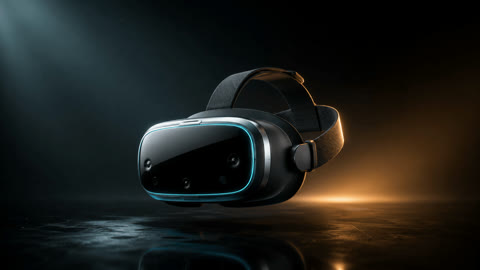
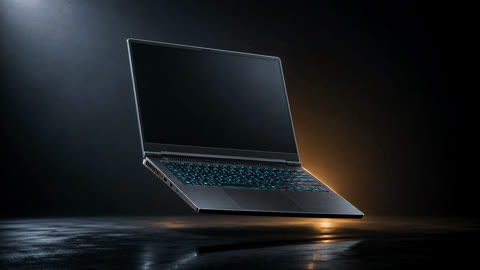
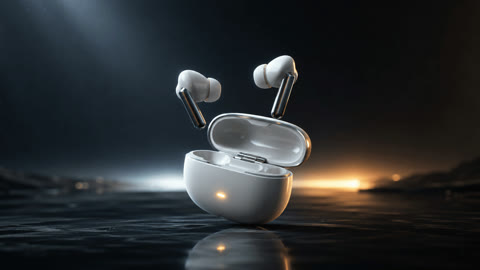
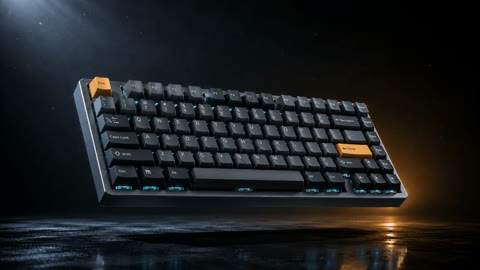
The finished 50-second film. Product photos and video generated with AI.
Ask Studio
Studio uses your photo as the first and last frame, so the product starts and ends exactly as you shot it.
See the full prompt
Visual style
Ultra-realistic commercial product cinematography. A deep dark void with a soft horizon glow far behind the subject, a glossy black floor with a controlled reflection, thin haze with fine dust in the light beams. Cool white key light from the upper left, warm amber rim light from the rear right. Premium colour grading, sharp focus throughout.

Subject
A single unbranded [PRODUCT], exactly as in my photo: [MATERIALS AND DETAILS]. Its shape, colour and materials must not change at any point. Every part that separates is a real physical part that stays visible the whole time: nothing fades or disappears.

Timeline, one continuous 12-second shot
0-1.5s: The [PRODUCT] hangs perfectly still, identical to my photo. The camera begins a slow push-in.
1.5-5s: A thin line of white light sweeps across it and triggers a precise mechanical disassembly: [HOW IT COMES APART, e.g. the shell peels apart in clean layers]. Each part travels outward along its own axis and comes to rest. No debris and no shattering.
5-7.5s: All parts hang in a symmetrical exploded view, rotating slowly as one group. The camera arcs 30 degrees to the right.
7.5-11s: Motion reverses. Every part returns along the path it left by and seats with a precise magnetic snap, the outer shell closing last. The camera returns to its opening position.
11-12s: The reassembled [PRODUCT] settles completely still, matching my photo exactly.

Camera
Smooth mechanical virtual camera, no handheld float. 85mm, shallow depth of field across the floating parts.

Avoid
No text, logos or watermarks. No people or hands. No sparks, fire, smoke or magic effects. No shattering. No change to the product's colour, shape or proportions.
Fill in the words in brackets. Change how it comes apart for each product.
You need
- Computer
- Any laptop or desktop. No graphics card needed.
- Cost
- About $2 per 12-second shot.
- Accounts
- OpenMontage Studio credits, or your own video service keys.
Good to know
Works best on products with real insides: electronics, watches, machines. Use a clean, well-lit photo.
Motion graphics
Particles, simulations, 3D, data and type, drawn and animated in code.
All seven made by OpenMontage. Press the speaker icon for music.
Ask Studio
Every piece here is in the inspiration library. Pick one, give Studio your logo, words or data, and it rebuilds the animation as yours.
Ask Studio
Studio draws these in code, so every word, number and colour is exact and easy to change.
See the full prompt
### Concept Overview
Chronicle an epochal timeline using granular sand particle dynamics. Thousands of dark grains flow across a parchment-toned paper canvas, assembling into line-drawn symbols of timekeeping before dissolving into windblown gusts toward the right edge. Underneath each motif, delicate serif typography states the era and mechanism.

### Visual Identity
- **Color Palette:** Warm antique cream background (`#ECE5D3` to `#E3D8BE` radial vignette) with dark charcoal/brown umber sand granules (`#2A241F`).
- **Typography:** Refined, classic serif typeface (e.g., Garamond, Cormorant Garamond, or Baskerville) set in lowercase small-caps for dates and descriptions.
- **Particle Aesthetic:** Dense clustering on solid fills, feathered organic edges, and subtle continuous motion (trickling sand, ticking hands, oscillating pendulums).

### Timed Scene Progression
1. **00:00–08.00 — The Sun (c. 3500 BCE):** Grains pool at the base and stream upward to form a radiating obelisk/sun shadow.
2. **08.00–17.00 — Water (c. 1500 BCE):** Grains sweep in to construct a bowl dripping measured drops into a reservoir.
3. **17.00–26.00 — Sand (c. 1300):** Hourglass silhouette forms; dynamic interior stream flows down into the lower bulb.
4. **26.00–35.00 — The Pendulum (1656):** Grandfather clock case forms; internal pendulum sways continuously.
5. **35.00–44.00 — The Pocket (1700s):** Pocket watch with top loop and winding chain; minute hand ticks.
6. **44.00–53.00 — The Railway (1883):** Steam locomotive and station clock establish standardized railway time.
7. **53.00–62.00 — The Atom (1955):** Atomic nucleus encircled by three revolving elliptical orbital paths.
8. **62.00–71.00 — The Pocket, Again (Today):** Modern smartphone bezel with digital time display (`9:41`) and notification cards.
9. **71.00–86.00 — Concluding Hourglass & Title:** Hourglass reappears while sand trickles through to fade out with final title 'time, told in sand'.

### Motion & Transitions
- **Formation:** Sand grains converge from the right and bottom using organic noise vector fields, snapping smoothly to target density maps over ~1.8 seconds.
- **Idle Animation:** While assembled, internal dynamic elements (pendulum swings, falling drops, orbital loops) remain active.
- **Dispersal:** Strong directional wind force pulls grains horizontally to the right screen edge over ~1.2 seconds, leaving a clean canvas for the next epoch.

### Audio Direction
- Warm, reflective acoustic instrumentation featuring plucked acoustic guitar, soft piano chords, and ambient chimes.
- Rhythmic progression matches the meditative pace of particulate assembly and transition.

### Adaptations
- **Vertical (9:16):** Center the particle illustrations and stack the era metadata closer beneath the central graphic to avoid UI overlap.
- **Square (1:1):** Scale the particle silhouette down 10% to ensure margin room during dispersal sweeps.

### Inputs to confirm before adapting
- **Era Label**: Short date or historical period notation (e.g., c. 3500 BCE).
- **Milestone Title**: Name of the timekeeping invention or milestone.
- **Target Artwork Mask**: Vector or raster alpha mask dictating particle target coordinates.

Treat all example prices, measurements, counts, testimonials, availability and performance claims as fictional demonstration copy. Ask for the customer's real values; if unavailable, omit or rewrite the beat without a factual claim. Do not transfer the example's numbers into a customer ad. The original timings describe this reference; adapt the music and actions together rather than promising the same beat times with different music.

This is an inspiration recipe with visual references. Editable source is not supplied, and no independent recipe-only rebuild or alternative aspect ratio is certified. Resolve current tools, components and media capabilities through Studio discovery.
Ask Studio
Studio draws these in code, so every word, number and colour is exact and easy to change.
See the full prompt
# Shift / Signal Inspiration Recipe

### Concept & Identity
A dynamic identity sequence representing kinetic force transforming into visual physical artifacts. The visual identity alternates between warm industrial backgrounds (terracotta orange, limestone, oxblood) and high-contrast monochrome drafting grids, tied together by an energetic orange accent color and polished chrome materials.

### Typography & Layout
- **Headline Font:** Ultra-condensed bold grotesque/display typeface (e.g., Anton).
- **Technical Subtitles:** Monospaced technical tracking font.
- **Composition:** Asymmetric framing with consistent left-aligned editorial captions alongside centered 3D sculptural objects.

### Scene Direction & Motion Breakdown
1. **Impulse Resonator (0–3s):** An orange sphere drops onto a grooved disc with easing squash and stretch (`power2.inOut`), triggering concentric rippling rings across the surface.
2. **Tension & Release (3–5s):** Centered typography within an animated drafting bounding box flips dynamically from 'TENSION' to 'RELEASE' with horizontal RGB displacement slicing.
3. **Pin Matrix (5–9s):** The sphere rolls diagonally across a dense grid of chrome pins. Each cylinder elevates dynamically based on distance to create a smooth traveling wave.
4. **Particle Lemniscate (9–13s):** Centered typographic text dissolves into swirling point particles, reorganizing into a continuous looping infinity symbol.
5. **Slit-Scan Reveal (13–16s):** Segmented horizontal slices rapidly shift into registration, revealing stark contrast block lettering ('FORCE' / 'FORM').
6. **Chamber Knot (16–19s):** A heavy reflective chrome knot rotates on a circular plinth before vertical architectural slats.
7. **Orbital Typography (19–22s):** Kinetic 3D letterforms orbit the chrome knot along an elliptical plane.
8. **Liquid Morphology (22–26s):** A smooth chrome mass organically deforms via dynamic vertex displacement over a neutral limestone stage.
9. **Frequency Star (26–29s):** An extruded chrome star rhythmically pulses above an animated continuous audio sine waveform.
10. **Brand Plaque (29–32s):** A brushed aluminum nameplate slides into center frame with a subtle shadow drop, settling cleanly on the final lockup.

### Audio Direction
130 BPM driving synth pulse with punchy transients aligned to key physical impacts and scene transitions.

### Adaptation Guidance
- **1:1 Square:** Center-crop composition while tucking corner labels inside upper-left padding bounds.
- **9:16 Portrait:** Re-anchor captions directly above the primary 3D pedestal to prevent edge clipping.

### Inputs to confirm before adapting
- **title**: Studio or brand name displayed on the final metal signplate.
- **tagline**: Supporting tagline engraved beneath the brand name.
- **accent**: Primary accent color applied to the impulse ball, wave highlights, and background stage.

Treat all example prices, measurements, counts, testimonials, availability and performance claims as fictional demonstration copy. Ask for the customer's real values; if unavailable, omit or rewrite the beat without a factual claim. Do not transfer the example's numbers into a customer ad. The original timings describe this reference; adapt the music and actions together rather than promising the same beat times with different music.

This is an inspiration recipe with visual references. Editable source is not supplied, and no independent recipe-only rebuild or alternative aspect ratio is certified. Resolve current tools, components and media capabilities through Studio discovery.


### Build and verify the physical relationships
Build one reusable stage with a consistent camera, floor, key light and contact shadow. Keep the sphere radius, plinth scale and caption grid consistent when the material changes. Drive the pin grid from distance to the moving sphere rather than independent random delays; the raised region must travel with the sphere. For reflective forms, use a broad studio-light environment and roughness sufficient to keep the silhouette readable. The knot and liquid mass need stable topology or smooth deformations so highlights move continuously without flickering.

Make the sphere impact, tension release, pin wave, knot turn and star pulse judgeable before polishing transitions. Scrub each beat forward and backward and inspect the encoded result at the point of contact, at the largest deformation and during each text reveal. Captions must remain legible at gallery size; do not reproduce glitch displacement so strongly that the brand becomes unreadable. When adapting aspect ratio, recompose the stage and typography instead of simply cutting off a landscape render. Re-time accents to the newly chosen soundtrack and confirm the final plaque has a readable hold.Ask Studio
Studio draws these in code, so every word, number and colour is exact and easy to change.
See the full prompt
### Visual Identity & Artistic Concept
This film presents a fast-paced, 15-second procedural motion design showreel timed precisely at 140 BPM. The visual identity merges Swiss/Bauhaus graphic rigor with modern WebGL and shader aesthetics: high-contrast monochrome foundations accented with cobalt blue, vermilion red, and iridescent rainbow thin-film interference. A constant technical HUD (`KERF / REEL 26` on the top left, dynamic `BEAT XX · 140 BPM` counter on the top right) frames every beat, establishing an engineering-grade demo aesthetic.

---

### Timed Scene Breakdown

#### Beat 01–08 (0.00s – 3.43s) | The Raymarched Organism
- **Visual**: A fluid, iridescent organic blob renders in the center-right against a matte off-black canvas (`#111111`). Iridescent chromatic rings shift organically across its surface.
- **Technical Overlays**: Thin monospace annotation brackets lock to features: `RAYMARCHED / 64 STEPS · SMOOTH UNION K 0.42`, `THIN-FILM / 380 - 720 NM INTERFERENCE`, and `3 SPHERES · 1 SURFACE`.
- **Typography**: At beat 05, bold sans-serif text `KERF STUDIO` enters bottom-left in white and red.
- **Transition**: Hard cut precisely on beat 09.

#### Beat 09–16 (3.43s – 6.86s) | Bauhaus Grid Cadence
- **Visual**: Screen instantly switches to a four-column geometric grid filled with primary geometric primitives (semicircles, triangles, rings, solid rectangles) in blue, red, white, and black.
- **Typography**: Giant block typography spelling `GEOMETRY` spans horizontally across the middle tier.
- **Motion**: Every single beat triggers a snappy 90° or 180° rotation or displacement of individual geometric glyphs with zero-overshoot easing, locking instantly into place.
- **Transition**: Flash cut on beat 17.

#### Beat 17–20 (6.86s – 8.57s) | Voxel Dot Dispersion
- **Visual**: The word `KERF` appears centered in large heavy lettering composed entirely of a dense multicolor dot raster (red, blue, grey, white dots on black).
- **Motion**: At beat 19, the dot matrix explodes outward, drifting randomly across 2D/3D depth like cosmic dust before thinning out.
- **Transition**: Immediate cut on beat 21.

#### Beat 21–28 (8.57s – 12.00s) | Isometric Voxel Wave
- **Visual**: High-key shift to an eggshell/cream background (`#F5F4F0`). Left side features ultra-bold headline `CUT CLEAN` in deep navy. Right side displays an isometric 24x24 column height-field undulating in smooth sinusoidal dual waves.
- **Shading**: Top column faces transition from deep plum to crimson red at peak elevation.
- **Technical Annotations**: Monospace caption top-right: `VOXEL HEIGHT-MAP / 24 × 24 COLUMNS / TWO WAVES, ONE SURFACE`.
- **Transition**: Hard cut on beat 29.

#### Beat 29–32 (12.00s – 13.71s) | Typographic Tunnel Vortex
- **Visual**: Return to dark field. Rings of micro-typography repeating `TIMING / EASING / SHADERS / SPLINES` spiral inward in infinite depth.
- **Overlay**: Three horizontal rows of oversized bold red condensed lettering cycle continuously across the foreground: `SHADERS SPLINES`, `TIMING CURVES TIM`, `EASING SPLINES SH`.
- **Motion**: Fast continuous inward spiral rotation matched to the rapid tempo.
- **Transition**: Cut on beat 33.

#### Beat 33–35 (13.71s – 15.00s) | Monolithic Studio Outro
- **Visual**: Solid vibrant red screen (`#E63B3B`). Massive black sans-serif typography `KERF` dead-center.
- **Subline**: Monospace caption below: `MOTION STUDIO · REEL 26 · CUT ON THE BEAT`.
- **Hold**: Static hold until audio tail finishes cleanly at 15.00s.

---

### Defining Motion & Typography Rules
1. **Metric Tempo Alignment**: Every cut and animation keyframe must lock to 140 BPM intervals (0.4286s per beat; cuts on 4-beat or 8-beat boundaries).
2. **Sharp Kinetic Snaps**: Rotations in Scene 2 utilize steep easing (`cubic-bezier(0.16, 1, 0.3, 1)`) settling in under 6 frames.
3. **Monospace Technical Framing**: Corner stamps remain fixed across all cuts in uppercase 10pt monospace.

---

### Stepwise Build & Verification Guidance
1. Establish master sequence at 1920x1080, 30fps (or 60fps), exactly 15.00 seconds.
2. Lay out the 140 BPM audio track with visual markers every 0.4285 seconds.
3. Build HUD layer top-bar and verify beat counter incrementing accurately on every quarter note.
4. Composite Scene 1 raymarcher shader with tracking vector callouts.
5. Assemble Scene 2 four-column grid; rig rotation snaps on beats 9 through 16.
6. Generate Scene 3 dot particle dispersal from text alpha mask.
7. Render Scene 4 isometric voxel field using math displacement function `sin(x + t) * cos(y + t)`.
8. Build Scene 5 multi-plane circular text path rig with inward z-translation.
9. Finish on solid brand color title card.

---

### Format Adaptation Considerations
- **9:16 Vertical**: Move persistent HUD into safe zones above and below central action. Stack `CUT CLEAN` above the voxel grid. Narrow the Bauhaus grid to 2x4 cells.
- **1:1 Square**: Crop side padding in Scene 2 and scale central typography by 85%.

### Inputs to confirm before adapting
- **brand_name**: Studio or product name appearing in HUD, scene 1, scene 3, and final title card.
- **headline_phrase_1**: Bold conceptual headline spanning across the geometric grid in scene 2.
- **headline_phrase_2**: Two-word punchy headline displayed beside the isometric voxel landscape in scene 4.
- **studio_tagline**: Monospace footer subtext shown on final red brand card.

Treat all example prices, measurements, counts, testimonials, availability and performance claims as fictional demonstration copy. Ask for the customer's real values; if unavailable, omit or rewrite the beat without a factual claim. Do not transfer the example's numbers into a customer ad. The original timings describe this reference; adapt the music and actions together rather than promising the same beat times with different music.

This is an inspiration recipe with visual references. Editable source is not supplied, and no independent recipe-only rebuild or alternative aspect ratio is certified. Resolve current tools, components and media capabilities through Studio discovery.
Ask Studio
Studio draws these in code, so every word, number and colour is exact and easy to change.
See the full prompt
# Longtable Community Globe Motion Recipe

### Overview & Visual Identity
A refined 20-second motion graphic spotlighting social connection at scale. The visual language utilizes a warm cream background (#F7F5EE) overlaid with a subtle dot grid, bold sans-serif typography, stark black UI accents, and vivid orange (#E4572E) focal highlights.

---

### Timed Scene Breakdown

#### Scene 1: Micro-UI Invitation (0.00s – 1.20s)
- **Visual**: A clean white card floats over the cream dotted grid displaying host metadata: avatar initials, name, event category, heading ("Got a spare seat?"), and a pill-shaped button ("Join the table").
- **Action**: A software cursor glides onto the button and triggers a crisp press state.

#### Scene 2: Checkmark Token Collapse (1.20s – 2.20s)
- **Visual**: The card scales down smoothly into a compact black circular icon featuring a white downward chevron/tick.
- **Action**: Snappy spring easing compresses card geometry directly into the circle centroid.

#### Scene 3: Location Pin Transform (2.20s – 4.00s)
- **Visual**: The black circle morphs into a vibrant orange coordinate dot. Microcopy appears underneath: *"Your table is on the map."*
- **Action**: Subtle pop and dampening float; text fades in slightly offset from bottom.

#### Scene 4: Globe Emergence (4.00s – 7.50s)
- **Visual**: The orange dot descends while a 3D hemisphere rendered with halftone point clouds smoothly enters frame center.
- **Action**: Continuous smooth Y-axis globe rotation establishing geographic landmass contours via black halftone dots on an off-white sphere.

#### Scene 5: Data Counter & Dynamic Pings (7.50s – 16.50s)
- **Visual**: A dynamic numeric counter initiates at "0" with subtext *"tables set tonight"*. As the globe turns, orange beacon rings burst across continental coordinates. Counter accelerates rapidly through 186, 1,236, 3,911, 8,435, up to 12,840.
- **Motion**: Numbers use a smooth fast roll-up easing curves; beacon markers ping with radiating alpha decay.

#### Scene 6: Brand Resolve (16.50s – 20.00s)
- **Visual**: The counter seamlessly transitions into the dual-tone wordmark *"Longtable"* with subline *"Pull up a chair, anywhere."*
- **Action**: Globe continues a graceful, steady spin while copy settles firmly into center lockup.

---

### Audio Direction
- **Music**: Upbeat, syncopated electronic beat with sync percussion, subtle hi-hats, and warm ambient pads.
- **SFX**: Subtle UI click at 0.01s, smooth woosh on card collapse, soft pop on dot spawn, and gentle ticking or chime swells under the counting sequence.

---

### Build & Verification Guidance
1. Set canvas to 1080x1080 at 30fps.
2. Construct the globe using a 3D sphere point-sampler or shader script driven by an equirectangular world alpha mask.
3. Bind pin coordinates to longitude/latitude rotations to prevent surface slipping.
4. Format number counters with comma separators and monospace figure widths to avoid horizontal text jitter.
5. Test responsive adaptations: Keep primary globe and text lockup within a central 800px bounding square for vertical 9:16 re-framing.

### Inputs to confirm before adapting
- **Host Name**: Name of host displayed on starting card
- **Host Category & City**: Secondary line on starting card
- **Card Question**: Primary card header copy
- **CTA Button Text**: Clickable button text
- **Counter Label**: Description text below the live metric
- **Brand Logo/Name**: Final end title text or wordmark
- **Brand Tagline**: Final callout below brand wordmark

Treat all example prices, measurements, counts, testimonials, availability and performance claims as fictional demonstration copy. Ask for the customer's real values; if unavailable, omit or rewrite the beat without a factual claim. Do not transfer the example's numbers into a customer ad. The original timings describe this reference; adapt the music and actions together rather than promising the same beat times with different music.

This is an inspiration recipe with visual references. Editable source is not supplied, and no independent recipe-only rebuild or alternative aspect ratio is certified. Resolve current tools, components and media capabilities through Studio discovery.Ask Studio
Studio draws these in code, so every word, number and colour is exact and easy to change.
See the full prompt
Create a 15-second 16:9 bar chart race on a dark navy background. Six named horizontal bars ranked by value; across five periods the values interpolate smoothly, bars change length and slide past each other when ranks swap, each bar shows its name inside and its live value at the end, and a large period label counts in the lower right. 0-1s the axis and first period appear; 1-14s the race; 14-15s the final ranking holds with the leader glowing. Data, period labels, unit and colours are settings; default names are plain sample categories.
Ask Studio
Studio draws these in code, so every word, number and colour is exact and easy to change.
See the full prompt
### Visual Identity
Bold Swiss modernism meets kinetic self-awareness. The visual palette uses high-contrast unbleached paper cream, process black, vibrant ultramarine blue, and intense vermilion red. Clean sans-serif typography anchors tight grid specifications before physics and spatial depth disrupt the layout.

### Timed Scene Direction
- **0:00–0:05 (The Spatial Breakout):** Open on a macro crop of primary bold type against faint grid lines. Pull back smoothly to reveal an A2 festival poster with technical margin annotations. At 0:03, letterforms and geometric shapes peel off the paper plane in 3D parallax, casting real-time drop shadows outside the border.
- **0:05–0:07.5 (The Inky Interlude):** Snap to a solid vermilion screen displaying massive heavyweight typography ("INK") anchored by fine-print CMYK technical specifications.
- **0:07.5–0:13.5 (Layer Fly-Through):** Rapidly navigate through individual construction layers (grid structures, solid color fields, isolated shapes) culminating in a bilateral reflection perspective with witty small-format subtext.
- **0:13.5–0:22.5 (Kinetic Escape & Responsive Frame):** Letterforms tumble and spill dynamically out of the rectangular container. The frame waits, then snaps outward to accommodate the rebellious glyphs with humorous micro-copy.
- **0:22.5–0:30.0 (Material Finale):** Cut to a simulated organic cloth banner undulating against a deep background, bringing fluid physical life to the previously rigid graphic layout.

### Defining Motion
- Snappy cubic easing on zooms transitioning into spring-like physical detachment.
- Coordinated 3D depth layering where text blocks cast dynamic shadows onto the canvas.
- Snapping elastic frame expansion with slight overshoot.

### Audio Direction
Upbeat, percussive electronic rhythm driven by punchy drum breaks, subtle paper crinkles, and spatial foley matching the graphic shifts.

### Rebuild Guidance
1. Establish the clean primary poster composition in a 2D vector workspace with clear typographic hierarchy.
2. Separate headline text, accent boxes, and color primitives onto discrete 3D spatial planes.
3. Rig camera dolly motion and layered Z-axis translation to produce the pop-out depth effect.
4. Composite simulated waving fabric dynamics for the closing sequence.

### Inputs to confirm before adapting
- **Festival Title**: Main two-word headline separating across stacked planes.
- **Sub-Headline**: Category or event type label at the top margin.
- **Technical Annotations**: Small marginal text detailing dimensions, grid counts, and dates.
- **Humorous Captions**: Micro-typography running beneath frames commenting on the motion.

Treat all example prices, measurements, counts, testimonials, availability and performance claims as fictional demonstration copy. Ask for the customer's real values; if unavailable, omit or rewrite the beat without a factual claim. Do not transfer the example's numbers into a customer ad. The original timings describe this reference; adapt the music and actions together rather than promising the same beat times with different music.

This is an inspiration recipe with visual references. Editable source is not supplied, and no independent recipe-only rebuild or alternative aspect ratio is certified. Resolve current tools, components and media capabilities through Studio discovery.You need
- Computer
- Any laptop or desktop. No graphics card needed.
- Cost
- Little or nothing: drawn on your computer. Music or AI images add a few cents.
- Accounts
- OpenMontage Studio credits, or your own service keys.
UGC ads that look real
A creator filming herself on her phone, talking about your product, without hiring one.
Press play for sound. The creator, her voice, the fan and the AIRLOOP brand are all made up and generated with AI.
Ask Studio
Studio first makes a reference sheet of the creator, so she looks the same in every shot, then animates each shot with speech and adds the captions and stickers.
See the full prompt
1. Reference sheet (OpenAI image): one real-looking woman, white American, about 26, messy brunette hair, freckles, real skin texture, no beauty filter, black halter top, light jeans, thin gold necklace. Five photos side by side: front, three-quarter, profile, waist-up, candid laugh.

2. Starting pictures (OpenAI image, using the sheet): a phone selfie on a hot, sunny city sidewalk, sweaty, white horseshoe neck fan around her neck; then the same woman in her apartment hallway holding the same fan up to the lens.

3. Clips (FLUX 3 Max, 10 s each, with sound): "This image is the first frame. Keep the woman, the fan and the lighting exactly as shown. A real handheld front-camera selfie video, slight shake, no cuts. She says: 'Okay, it is literally ninety-eight degrees right now... and this little neck fan is the only reason I'm not melting.' Her voice close to the mic, street ambience, no music. Phone camera quality, not cinematic."
Second clip: "Three speeds, it's super quiet, and the battery lasts all day. Honestly? Just get one. Link's below."

4. Edit: word-by-word captions with key words in yellow, a hook line for the first 3 seconds, a brand and feature pill, and a price sticker at the end.
You need
- Computer
- Any laptop or desktop. No graphics card needed.
- Cost
- About $2 per 10-second clip, so about $4 for a 20-second ad.
- Accounts
- OpenMontage Studio credits, or your own service keys.
Good to know
Start from your real product photo so the product matches exactly. Label AI-generated ads as such.
Product commercials
Studio-lit product films: macro detail, light and an end card with your copy.
Footage generated with AI; brand names, tags, numbers and end cards added by Studio. The products and brands are made up. The lip gloss and watch ads are vertical.
Ask Studio
Studio plans each shot like a director: lens, light, macro moves and the end card with your words.
See the full prompt
# Dayglint Sunlit Lip Gloss Showcase Recipe

### Visual Identity & Atmosphere
The film evokes an elevated, sensory golden-hour cosmetic editorial. The visual palette leans on raw kraft paper, cream travertine stone, brushed champagne silver caps, deep rose gloss formulations, and crisp natural sunlight producing defined caustic highlights. Typography balances a delicate high-contrast Didone serif for brand authority with a clean modern sans-serif for structured chapter tags, shade identifiers, and editorial metadata.

---

### Timed Scene Breakdown

- **Beat 1: The Arrival / Unboxing (0.00s – 0.90s)**
  Warm natural light catches hands holding an open kraft cardboard shipper box lined with shredded crinkle paper. Centered inside sits the boxed acrylic lip gloss bottle with silver cap facing right. Lower-left chapter overlay displays `01 / 07 | A little unboxing. | THE ARRIVAL` with an upper header reading `dayglint | SUNLIT NOTES`.

- **Beat 2: The Wand Macro (0.90s – 2.30s)**
  A sharp cut to an extreme macro portrait of the bottle neck resting on sunlit travertine. Fingers gently unscrew and lift the doe-foot wand straight up, revealing rich rose liquid clinging to the flocked tip. Lower-left overlay updates cleanly to `02 / 07 | Rose, up close. | THE WAND`.

- **Beat 3: The Hand Swatch (2.30s – 3.40s)**
  Direct cut to an angled top-down shot of the back of a manicured hand. A thick, wet swipe of lustrous rose pigment catches hard sunlight, showing micro-shimmer and skin texture, with the bottle resting alongside. Lower-left overlay updates to `03 / 07 | Light in a swipe. | ROSE / 01`.

- **Beat 4: Lip Application (3.40s – 4.50s)**
  Extreme close-up on the lower face and mouth. The soft applicator tip glides smoothly across the lower lip, transferring radiant glossy hydration with optical clarity. Lower-left text reads `04 / 07 | One small ritual. | THE APPLICATION`.

- **Beat 5: The Glossy Finish (4.50s – 5.40s)**
  Continuous take from the previous angle: the wand lowers gracefully away, leaving full, supple, illuminated lips with crisp specular reflections. Lower text transitions to `05 / 07 | A soft glossy finish. | THE FINISH`.

- **Beat 6: The Lifestyle Moment (5.40s – 6.50s)**
  Cut to a sunlit cafe setting. The lip gloss vial stands heroically upright on a round stone cafe table in the foreground while hands reach to lift an artisanal latte cup in soft background focus. Lower text: `06 / 07 | Take it with you. | THE EVERYDAY`.

- **Beat 7: Hero Product Packshot & Brand Closing (6.50s – 10.00s)**
  Clean hard cut to a polished studio packshot on white Italian marble under diffused sunlight. The lip gloss stands tall beside a matching bullet lipstick and sharp lip pencil. Soft white wash overlays fade in at the top and bottom. Deep garnet serif typography fades in prominently overhead with the full brand name, closing headline `Your everyday shine.`, and pill badge `ROSE / 01`, grounded by the base motto `A LITTLE ROSE. A LOT OF LIGHT.`.

---

### Defining Motion & Graphic System
1. **Snap Transitions:** Cuts between scenes are hard, instantaneous editorial edits without cross-dissolves, maintaining crisp pacing locked to voiceover phrasing.
2. **Fixed Graphic HUD:** A persistent editorial frame anchors the rapid cuts. The top bar features an ivory background pill for the brand wordmark alongside spaced sans-serif metadata. A subtle left-side progress rail fills vertically as chapters advance.
3. **Typography Animation:** Chapter numbers and headlines cut cleanly in sync with video transitions rather than flying or sliding, echoing luxury print lookbooks.
4. **End Card Softening:** At 6.5s, top and bottom radial gradient washes smoothly fade in (`opacity: 0 -> 1` over 0.5s) to guarantee high contrast and legibility for the garnet brand text over the marble packshot.

---

### Media Generation & Direction
- **Lighting:** Hard directional natural sunlight (approx. 5000K-5600K) casting crisp architectural shadows and high-intensity gloss reflections.
- **Camera Movements:** Keep AI generation prompts locked to subtle physical gestures (pulling a wand, lifting a cup, applying gloss) rather than dynamic camera flying to preserve anatomical fidelity and product branding.
- **Continuity Secret:** Generate application and withdrawal within a single continuous clip, trimming the cut points at 3.4s and 4.5s to eliminate jump cuts or facial morphing.
- **Audio Landscape:** A calm, warm female narrator delivering spoken-word prose with relaxed pacing. Acoustic nylon guitar picking and gentle ambient pads provide harmonic warmth underneath the dialogue.

---

### Editable Slots
- `headline` (Text, default: "Your everyday shine."): Primary campaign closing hook.
- `shade` (Text, default: "ROSE / 01"): Colorway identifier displayed on swatch and packshot.
- `accent` (Color, default: "#6c2b34"): Deep garnet tone applied to closing headline and typography.
- `brand` (Text, default: "dayglint"): Wordmark displayed in top bar and final lockup.

---

### Step-by-Step Rebuild Instructions
1. **Set Composition Canvas:** Configure a 1080x1920 portrait canvas at 30fps with a 10.0-second total timeline.
2. **Assemble Video Base:** Sequence the 6 action clips and 1 still packshot sequentially according to the exact beat timestamps.
3. **Build Layered Editorial HUD:** Overlay the static top header, bottom chapter tag container, and left progression line.
4. **Keyframe Text Changes:** Configure instant text updates at 0.0s, 0.9s, 2.3s, 3.4s, 4.5s, and 5.4s.
5. **Hero Overlay Fade:** At 6.5s, fade out chapter graphics, fade in top/bottom contrast washes, and reveal the primary brand lockup in garnet serif lettering.
6. **Master Audio:** Mix expressive conversational voiceover with a delicate acoustic backing track at -16 LUFS, ducking music 3dB under vocal phrases.

---

### Aspect Ratio Adaptations
- **1:1 Square (1080x1080):** Center-crop the macro wand, swatch, and lip footage. Lower the top header closer to the top edge and tuck the chapter text into the lower third with reduced padding.
- **16:9 Landscape (1920x1080):** Reposition the product packshot to the right third and position the brand typography, headline, and pill badge cleanly in the left two-thirds.

### Inputs to confirm before adapting
- **headline**: Closing campaign statement under the hero brand wordmark.
- **shade**: Product shade name and numbering tag.
- **accent**: Hex color code for closing typography and badge accents.

Treat all example prices, measurements, counts, testimonials, availability and performance claims as fictional demonstration copy. Ask for the customer's real values; if unavailable, omit or rewrite the beat without a factual claim. Do not transfer the example's numbers into a customer ad. The original timings describe this reference; adapt the music and actions together rather than promising the same beat times with different music.

This is an inspiration recipe with visual references. Editable source is not supplied, and no independent recipe-only rebuild or alternative aspect ratio is certified. Resolve current tools, components and media capabilities through Studio discovery.
Ask Studio
Studio plans each shot like a director: lens, light, macro moves and the end card with your words.
See the full prompt
### Visual Identity
A clean, hyper-detailed macro study of haute horlogerie. The aesthetic centers on precision-machined metals, circular graining (perlage), Côtes de Genève striping, blued steel screws, and synthetic ruby pivots under diffused, neutral studio lighting with soft specular glints.

### Timed Scene Direction
- **00:00 - 04:50 (Scene 1 — Setting the Balance)**: Extreme overhead macro view of a watch movement mainplate. Precision watchmaker tweezers steady and seat a delicate balance assembly and hairspring into position. Smooth, controlled downward placement.
- **04:50 - 07:50 (Scene 2 — Micro-Adjustment)**: Punch-in to an extreme close-up of the balance wheel bridge. Fine tweezer tips make micro-adjustments around the jewel chaton and regulating arm as gear teeth engage.
- **07:50 - 11:50 (Scene 3 — Meshing Train Wheels)**: Dynamic diagonal macro angle highlighting the gold-plated gear train meshing with pinions beside ruby bearings. Smooth mechanical rotation initiates.
- **11:50 - 15:08 (Scene 4 — Continuous Escapement Cadence)**: Symmetrical centered hero macro shot of the completed tourbillon cage and balance oscillating fluidly within the finished baseplate architecture.

### Defining Motion & Camera Dynamics
- Sub-millimeter camera stability with minimal handheld drift.
- Controlled linear push-ins and slow tilt re-framings that emulate high-magnification microscope optics.
- High frame-rate cadence to smoothly render the rapid oscillation of the balance wheel.

### Anchor Reference Plate Strategy
- Establish master reference plates for the mechanical caliber: exact metal finish, screw head slots, circular brushing patterns, and jewel color consistency.
- Keep the lighting setup identical across scenes: soft overhead diffused lightbox with dual rim kickers to preserve metal sheen without blowing out highlights.

### Audio Direction
- Intimate, hyper-detailed Foley design consisting of dry metallic clicks, tweezer micro-friction, and crisp mechanical escapement ticking (28,800 vph / 4 Hz cadence).
- No spoken voiceover; subtle low-frequency atmospheric bed to emphasize craft focus.

### Editable Slots
- Movement plate engraving (brand mark or serial number).
- Jewel and screw tint variations (heat-blued or polished steel).
- Metal finish selections (rhodium plating, rose gold, or matte titanium).

### Stepwise Build & Verification Guidance
1. Generate static hero plates of the movement top plate and balance wheel assembly with realistic mechanical tolerances.
2. Animate tweezer placement with strict spatial stability; avoid warping gear teeth or misaligning pivot holes.
3. Sequence the gear train motion to respect mechanical interaction—verify meshing gears rotate in opposing directions.
4. Composite fine dust-free studio illumination and subtle lens breathing.

### Multi-Format Adaptation Guidance
- **Vertical (9:16)**: Current framing; maintains focus along the vertical mechanical spine.
- **Square (1:1)**: Center-crop preserves core escapement action without loss of detail.
- **Landscape (16:9)**: Requires extending horizontal plates to reveal watchmaker bench tools and holder.

### Inputs to confirm before adapting
- **brandEngraving**: Custom watchmaker emblem or caliber reference engraved on the movement bridge.
- **metalFinishing**: Surface finishing specification for the mainplate and bridges (e.g., Rhodium Côtes de Genève, Rose Gold, Titanium).

Treat all example prices, measurements, counts, testimonials, availability and performance claims as fictional demonstration copy. Ask for the customer's real values; if unavailable, omit or rewrite the beat without a factual claim. Do not transfer the example's numbers into a customer ad. The original timings describe this reference; adapt the visual flow and actions together rather than promising identical regeneration.

This is an inspiration recipe with visual references. Editable source is not supplied, and no independent recipe-only rebuild or alternative aspect ratio is certified. Resolve current tools, components and media capabilities through Studio discovery.
Ask Studio
Studio plans each shot like a director: lens, light, macro moves and the end card with your words.
See the full prompt
# Hypercar Ceramic Coating Inspiration Recipe

### Visual Identity
This piece utilizes high-contrast studio cinematography characteristic of luxury automotive commercial spots. The color palette centers on deep midnight blue, carbon fiber blacks, and cool white specular reflections produced by parallel linear ceiling fixtures. The concrete studio floor provides soft, diffuse floor reflections, isolating the silhouette and gloss finish of the hypercar.

### Timed Scene Direction
- **Shot 1 (0:00 - 0:05)**: Subterranean studio wide shot. A low-angle camera slowly pushes in and orbits around the front three-quarter profile of a deep metallic blue hypercar. Parallel overhead LED strip lights reflect cleanly along the body contours as thin atmospheric mist drifts behind the vehicle.
- **Shot 2 (0:05 - 0:09)**: Extreme macro close-up on exposed carbon fiber bodywork and intake contours. Water beads instantly upon impact, demonstrating high-angle contact hydrophobic tension. The camera pulls back slowly along the surface curvature as spherical droplets roll effortlessly across the panel.
- **Shot 3 (0:09 - 0:15)**: Low-angle tracking shot along the side profile and window glass. Water streams across treated glass and body seams, breaking into tight, uniform beads that slide away without streaking, highlighted by ceiling light reflections sliding across the gloss surface.

### Defining Motion & Continuity
- **Camera Movement**: Cinematic fluid dolly and orbit motions at low, grounded angles. Camera transitions should feel deliberate, stabilized, and weighted, avoiding sudden acceleration or jerky pans.
- **Subject Pacing**: The vehicle remains stationary while fluid elements—sliding water beads and gentle ambient mist—provide micro-motion across high-gloss, static surfaces.
- **Lighting Continuity**: Parallel tubular LED ceiling lights must remain consistent across wide and macro perspectives to maintain spatial grounding.

### Anchor Reference Plate Strategy
- **Master Exterior Plate**: Generate a clean, 16:9 studio reference image of the exact vehicle model with defined carbon accents, paint finish, and rim package under linear overhead strip lights.
- **Material Close-Up Plate**: Establish a macro reference plate displaying the authentic carbon weave texture alongside the paint boundary to ensure texture fidelity when transitioning to extreme macro shots.

### Audio Direction
- **Music**: Minimalist atmospheric synth drone paired with low bass pulses that emphasize premium engineering and mystery.
- **Sound Design**: Crisp, detailed foley for hydrophobic water droplet impacts, subtle fluid rushing, and faint ventilation/ambient room tone in an enclosed subterranean space.

### Editable Slots
- Vehicle model and manufacturer styling cues.
- Paint coat coloration (e.g., metallic blue, satin gray, pearl white).
- Surface treatment showcase (carbon fiber detailing, glass clarity, wheel finish).

### Stepwise Build & Verification Guidance
1. **Base Generation**: Create the primary establishing shot featuring the vehicle parked centered beneath overhead linear strip lights in a neutral concrete showroom.
2. **Macro Detail Shot**: Generate macro footage focusing strictly on fluid dynamics across the high-gloss clear coat and carbon weave.
3. **Profile Tracking**: Construct the side-profile pass focusing on window water sheeting and sleek body lines.
4. **Color Grading**: Apply a cool, desaturated tone curve with deep shadows and clean, unclipped highlights to preserve specular reflection quality.
5. **Sound Layering**: Sync fluid splash foley and bass swells to the camera moves and droplet impacts.

### Aspect Ratio Adaptations
- **9:16 (Portrait)**: Crop centrally on the nose and hood in Shot 1, keep the macro shot tightly centered on droplet movement, and track the vertical line of the side window in Shot 3.
- **1:1 (Square)**: Maintain medium framing around the vehicle front fascia and isolate individual surface sections during macro passes.

### Inputs to confirm before adapting
- **Vehicle Model**: Specific make, model, or body style of the featured performance car.
- **Paint Finish**: Body color and finish type (e.g., metallic, matte, pearlescent).
- **Surface Accent**: Material highlight such as exposed carbon fiber, brushed aluminum, or tinted glass.

Treat all example prices, measurements, counts, testimonials, availability and performance claims as fictional demonstration copy. Ask for the customer's real values; if unavailable, omit or rewrite the beat without a factual claim. Do not transfer the example's numbers into a customer ad. The original timings describe this reference; adapt the visual flow and actions together rather than promising identical regeneration.

This is an inspiration recipe with visual references. Editable source is not supplied, and no independent recipe-only rebuild or alternative aspect ratio is certified. Resolve current tools, components and media capabilities through Studio discovery.
You need
- Computer
- Any laptop or desktop. No graphics card needed.
- Cost
- A few dollars per shot.
- Accounts
- OpenMontage Studio credits, or your own service keys.
Narrated animated stories
A four-minute story told with painted images, narration and an orchestral score. No AI video clips, so it costs very little.
Lanternfall, 4 minutes. Images, narration and music generated with AI.
Ask Studio
Studio paints each scene as an image, then brings it to life with slow camera moves, drifting light and soft transitions, timed to the narration and music.
See the full request
A 4-minute (240 s) 16:9 cinematic animated short called "Lanternfall", narrated, with an orchestral score. Story: on a small ocean world called Calder, the old sun is fading. Everyone on Calder is born holding a small light in their hands, used for ordinary things. As the fields go grey, a nine-year-old girl, Ilse, in a yellow raincoat, climbs the mountain with her light; a fisherman, a baker, then whole towns from the coast, desert and high towns follow in a procession of lights. At the summit she opens her hands, everyone does the same, and the lights rise and merge into a new sun. Closing line: a sun is not one big light, it is all the small ones choosing the same direction. Look: painterly gouache storybook illustrations (AI images used for the landscapes and scenes) brought to life with slow dolly and pan moves, drifting light particles, light sweeps, soft blur and white-out transitions; colourful twilight palette of teal, violet, apricot, rose and lantern gold, never black space. Structure: 0-22 s cosmic dolly toward the world through a glowing nebula, title "LANTERNFALL" with a light-sweep; 22-205 s narrated vignettes; 205-240 s pull back to the cosmic view with the new sun, title returns, gentle fade with lingering motes. Warm, wondrous, slow-building.
You need
- Computer
- Any laptop or desktop. No graphics card needed.
- Cost
- Lanternfall cost under $1: 13 images, a voice and two music tracks.
- Accounts
- OpenMontage Studio credits, or your own image, voice and music service keys.
Good to know
Movement is camera moves over still pictures, not animated characters. It suits stories, history and explainers.
Pixar-style animations
A short story with characters, a narrator and music.
Press play for sound. The Last Banana, 1 minute. Animation and narration generated with AI; royalty-free piano music.
Ask Studio
You need
- Computer
- Any laptop or desktop.
- Cost
- About $1.30: six 10-second animated clips and the narration.
Good to know
Studio keeps each character looking the same from shot to shot.
Documentaries
A narrated history film built from real stock footage, with animated maps, a timeline and chapter titles made to match.
How Salt Made History, 1 minute 40 seconds. Footage from free stock libraries; narration generated with AI; maps, timeline and titles made by OpenMontage.
Ask Studio
Studio writes the script, finds matching stock footage, records the narration, then draws the maps, timeline and chapter cards in one look so the footage and graphics feel like one film.
See the full request
A 90-second 16:9 cinematic documentary for YouTube called "How Salt Changed History".

Hook: "Empires taxed it. Wars were fought over it. And your paycheck is literally named after it. This is salt, the only rock we eat, and once, the most valuable thing on Earth."

Story in five chapters: precious, power, weapon, worthless, then the thesis.
1. Precious: "salary" comes from the Latin "sal"; show the word morphing.
2. Power: salt preserved food, fed armies and paid for roads like Rome's Via Salaria; an animated map of the Saharan salt-for-gold trade to Timbuktu.
3. Weapon: a timeline from France's hated salt tax (1789) to Gandhi's Salt March (1930).
4. Worthless: industrial mining made it the cheapest thing on the shelf.
5. Closing line: "The most valuable things become invisible once everyone has them."

Tone: a calm, grave essay voice, like a good YouTube history explainer; let the surprising claims land, then pause.
Look: real stock footage graded into one warm, filmic look, stitched with hand-made graphics: chapter cards, an etymology morph, an animated trade-route map and a timeline. Near-black warm background, bone-white type, gold only where the story is about worth. Slow camera pushes on the footage, nothing snaps. Captions on screen.
You need
- Computer
- Any laptop or desktop. No graphics card needed.
- Cost
- This film cost under $1: the narration. The stock footage came from free libraries.
- Accounts
- OpenMontage Studio credits, or your own voice service key. Free stock-footage accounts are optional.
Good to know
Studio checks each clip's licence when it picks stock footage. Facts in the script are worth a second look before you publish.
Explainers from your documents
Attach a report, handbook or deck. Studio reads it, writes the story, records a narrator and animates every number.
Press play for sound. Made from a 295-page report: the IEA’s Global EV Outlook 2026 (CC BY 4.0). Narration and music generated with AI; charts and animation drawn by Studio.
Ask Studio
Studio reads the whole document, picks the few numbers that tell the story, and shows which page each one came from.
See the full request
Attached: the IEA's Global EV Outlook 2026 (295-page PDF, CC BY 4.0).

Turn this report into a 60-second 16:9 narrated explainer.
- Open on the report itself: show it being read, and pull out its three headline facts.
- Then explain, using only figures from the report: 2025 electric car sales and their share of new cars; the share in China, Europe, Southeast Asia and the United States; who builds the cars and the battery cells; how much oil EVs already avoid and the 2030 outlook; the 2026 forecast; the 2035 outlook.
- Give every number its own animated chart, and let each chart flow into the next rather than cutting.
- Show which page each figure comes from, mark projections as projections, and credit the IEA at the end.
- A warm, curious narrator whose delivery changes beat by beat; an original score that follows the same arc.
You need
- Computer
- Any laptop or desktop. No graphics card needed.
- Cost
- Under $1: the narration and an original score. The charts are drawn on your computer.
- Accounts
- OpenMontage Studio credits, or your own voice service key.
Good to know
Works with PDFs, Word files, notes and data. Check the numbers before you publish, and only use documents you’re allowed to share.
Hand-drawn anime
A title sequence in cel animation, with characters that stay on model.
Characters and world are original, generated with AI.
Ask Studio
Studio fixes each character's design before animating, so hair, clothes and props stay the same across every shot.
See the full prompt
Visual Style
Hand-drawn cel animation, exactly matching the first frame: clean visible ink line weight, flat colour fills, hard-edged limited-palette shadow shapes, deliberate held drawings. No photographic rendering, no 3D shading, no soft airbrush gradients, no live action. This is a fictional anime series opening title sequence.

Subject
Exactly four characters, and no others, appear anywhere in the shot. Their designs are fixed by the first frame and must not change.
1. THE COURIER: short dark blue chin-length hair, one small brass earring, cropped burnt-orange jacket over a grey shirt, a coil of thin red cord at the belt. Accent colour warm orange, used on this character alone.
2. THE SWORD-BEARER: tall, pale silver hair to the shoulder, long dark green coat, one narrow straight sword worn at the left hip and always held in the left hand. Accent colour cold teal, used on this character alone.
3. THE CLOAKED FIGURE: a wide dull-gold travelling cloak, always seen from behind or at distance, face never visible at any point.
4. THE CREATURE: a small round white animal with exactly one black ear.
No other people, no crowd, no background extras. No character changes hair, clothing, weapon or hand at any point.

Timeline, a five-shot opening title sequence, ten seconds total

0 to 1.5s, SHOT ONE, exactly the opening frame and it holds. The dusk street, the four characters in their opening positions. Only three things move: white petals drift down across the whole frame, the courier's hair and jacket hem shift in a light wind, and the cloaked figure walks a little further away down the street. A gust of white petals sweeps across the lens. Cut on the gust.

1.5 to 3.75s, SHOT TWO, a high open ridge at dusk. The sword-bearer stands alone in profile, completely still, then draws the sword once with the left hand. A single travelling white highlight runs down the blade edge from hilt to tip. The drawing holds motionless for a beat. Far away on the horizon behind, a vast dark shape stands against the sky, unmoving and unexplained. Cut.

3.75 to 5.75s, SHOT THREE, the same ridge, much wider. The cloaked figure walks away from the viewer toward that dark shape, small in the frame, the gold cloak moving in the wind. Nothing else happens. Cut.

5.75 to 8.25s, SHOT FOUR, a flat sand arena floor inside high stone walls. The courier runs left to right across the frame at full speed with the small white creature running alongside at the bottom of frame. The courier pulls the red cord free and throws it forward; the cord travels through the air in one clean arc, and that arc turns into a single sweeping teal blade slash that crosses the frame from the same direction. The slash leaves the frame. Cut.

8.25 to 10.0s, SHOT FIVE, the same arena floor. The four characters settle into one held group image and then stop moving completely: the courier centred, the sword-bearer standing at frame left with the sword lowered, the cloaked figure small and distant at frame right, the white creature sitting at the courier's feet. Petals settle. Everything is motionless for the last full second.

Camera
Drawn animation camera only. Held frames, one slow drawn push in shot two, and nothing else. No photographic camera move, no dolly, no orbit, no handheld motion, no rack focus and no lens flare at any point. There are exactly four cuts and no other cuts.

Composition
In every shot the entire upper-centre third of the frame is kept empty and dark, with nothing in it, and this is strictest in the final held group image.

Negatives
No text, no lettering, no letters, no writing, no numbers, no title, no credits, no signage copy, no logos, no watermark, no subtitles, no signature. No extra characters and no crowd. No photographic realism, no live action, no CGI render, no 3D. No generic particle soup, no overlapping fire lightning and darkness effects, no identical attack colours. No character defeats another and no conflict is resolved. No character swaps weapon hands, changes design, or appears twice in the same shot. No lip sync and no speaking.
You need
- Computer
- Any laptop or desktop. No graphics card needed.
- Cost
- A few dollars per 10-second clip.
- Accounts
- OpenMontage Studio credits, or your own video service keys.
Colour grade your footage
Give footage any look you describe. Here, four looks on one forest.
The look changes every 10 seconds. Footage: Pixabay.
Ask Studio
Describe a feeling: "warm late summer", "cold thriller".
You need
- Computer
- Any laptop or desktop. No graphics card needed.
- Cost
- Nothing. It runs on your computer, with no paid AI service.
Good to know
HDR and LOG camera files need converting first.
Recolour clothes and objects
Change the colour of one thing in moving video. Skin, hair and everything else stay as they were.
Footage: Pixabay.
Ask Studio
Studio picks out one colour range in every frame, shifts only that, and can show you exactly what it selected before it renders.
You need
- Computer
- Any laptop or desktop. No graphics card needed.
- Cost
- Nothing. It runs on your computer, with no paid AI service.
Good to know
Works best when the thing you recolour is a colour nothing else in the shot shares.
Swap the background
Remove a green screen and put anyone anywhere.
Presenter and observatory both generated with AI.
Ask Studio
Studio's keyer cleans green spill off the edges and saves a transparent copy. Its colour grade then matches her to the new scene's light.
You need
- Computer
- Any laptop or desktop. No graphics card needed.
- Cost
- Nothing. It runs on your computer, with no paid AI service.
Good to know
Needs an even green or blue backdrop. Clothes in the same green would vanish too.
Swap a person for your character
Put your own character into a clip in place of someone, keeping every move, cut and camera angle.
The fight and the tiger monk were both generated in Studio. The swap keeps the original sound too.
Ask Studio
Give Studio one clear, full-body picture of your character. It makes a cheap low-resolution preview first, then the finished clip, and puts the clip's original sound back.
You need
- Computer
- Any laptop or desktop. No graphics card needed.
- Cost
- About $6 for this 20-second clip, plus about $3 for its preview.
- Accounts
- Your own video service keys, such as Runware.
Good to know
Use your own character or someone who has agreed. Studio will not put a real person into a video without their consent. Clips up to 30 seconds work best.
Put a video on a moving screen
Track a phone, laptop or sign as it moves and play your own video on it.
App animation made in Studio. Phone footage: Pixabay.
Ask Studio
Studio follows the screen’s four corners through every frame, pins your video to them, then lays the phone back on top so fingers stay in front.
You need
- Computer
- Any laptop or desktop. No graphics card needed.
- Cost
- Nothing. It runs on your computer, with no paid AI service.
Good to know
Easiest with a green or plain screen whose corners stay mostly visible.
Cut a person or product out of a photo
Remove the background from a photo and place the cut-out anywhere.
Portrait from the OpenMontage inspiration library, generated with AI. Backgrounds: Pixabay.
Ask Studio
If it misses a spot, like backdrop showing between the legs, point at it and Studio fixes just that part.
You need
- Computer
- Any laptop or desktop. No graphics card needed.
- Cost
- Nothing. It runs on your computer, with no paid AI service.
Good to know
Photos up to about 2 megapixels. Very fine hair is softened rather than traced strand by strand.
Change how a voice sounds
One recording, eight very different characters. Tap to hear.
Ask Studio
Studio's audio mixer builds each character from filters, echo, reverb, pitch shift and distortion, then sets every version to the same loudness.
You need
- Computer
- Any laptop or desktop. No graphics card needed.
- Cost
- Nothing. It runs on your computer, with no paid AI service.
Good to know
Can apply to one line or one character only.
Supports over 100 languages and accents
Each in a voice that sounds native. Tap to hear.
"Good morning! The coffee's ready, the sun is out, and today feels like a good day to start something new." Voices generated with AI.
Ask Studio
Studio translates the line and picks the most natural voice for each language.
You need
- Computer
- Any laptop or desktop. No graphics card needed.
- Cost
- A few cents per line.
- Accounts
- OpenMontage Studio credits, or your own voice service keys.
Good to know
Have a native speaker check anything important.
Speak any language on camera
A cooking-show host switches between four languages as the cameras cut, with lips that match every word. Press play for sound.
Host, studio and voice made with AI.
Ask Studio
Studio translates the script, records every language in one consistent voice, then matches the presenter’s lips to each word.
You need
- Computer
- Any laptop or desktop. No graphics card needed.
- Cost
- A few dollars on your own AI accounts for the video, voice and lip-sync.
Good to know
The voice is a natural voice for each language, not a copy of a real person’s own voice.
Sound design for silent clips
AI video often comes out silent. Studio adds the world around it. Press play for sound.
Each clip plays silent first, then with sound. Clips generated with AI; sounds from Studio’s free library.
Ask Studio
Studio has 169 free sound effects and background sounds built in. It times each one to the picture, muffles the sea once the scene moves indoors, and sets the final loudness.
You need
- Computer
- Any laptop or desktop. No graphics card needed.
- Cost
- Nothing. It runs on your computer, with no paid AI service.
Good to know
Sounds can also come from free online libraries, or be generated.
Mix voice and music
Music that drops under the voice and comes back up in the pauses. Press play for sound.
The bars show voice and music levels as you listen. Explainer made in Studio.
Ask Studio
Studio lowers the music whenever someone speaks, cleans up the voice, and can hand back separate voice, music and effects tracks if you want to keep editing.
You need
- Computer
- Any laptop or desktop. No graphics card needed.
- Cost
- Nothing. It runs on your computer, with no paid AI service.
Good to know
The final loudness is set for web video, so it won’t play noticeably louder or quieter than other videos.
Fit a song to any length
Shorten a song to 30 or 15 seconds so it still ends on its real ending. Press play for sound.
The bar under each video shows which parts of the 1:30 song you hear. Footage: Pixabay. Music from Studio’s library.
Ask Studio
Studio finds the song’s beats, keeps the opening, and joins it to the real ending exactly on a beat.
You need
- Computer
- Any laptop or desktop. No graphics card needed.
- Cost
- Nothing. It runs on your computer, with no paid AI service.
Good to know
Works with Studio’s music library or your own track.
Remove background noise
Fans, traffic and room hiss out; the voice stays. Tap to hear.
Voice generated with AI; noise added for this demo.
Ask Studio
Studio's noise remover is an AI model trained on speech. It keeps the voice and drops everything else, and can also fix hum, clicks and clipped peaks.
You need
- Computer
- Any laptop or desktop. No graphics card needed.
- Cost
- Nothing. It runs on your computer, with no paid AI service.
- Setup
- Downloads a 27 MB noise remover the first time.
Good to know
Built for speech: music and wanted background sound go too. Ask for "lighter" to keep some room sound.
Styled captions
Word-by-word captions in the looks people use on Reels, Shorts and TikTok.
Same 10-second scene in five styles, from our AI short Reimagine Your Universe.
Ask Studio
Ask Studio
Ask Studio
Ask Studio
Ask Studio
You need
- Computer
- Any laptop or desktop.
- Cost
- Free. Studio times every word itself.
Good to know
Any font, colour and position can be changed.
Tighten your videos
Cut the ums, retakes, tangents and long pauses from vlogs, podcasts, interviews and tutorials.
Hi everyone. So, um, today I wanna show you three quick ways to make your morning coffee taste, uh, a lot better. 3 s pause First, grind your beans fresh. First, grind your beans fresh right before you brew. 3.5 s pause Oh, and my cat knocked a mug off the counter this morning, which, um… Anyway. 3 s pause Second, use water just off the boil, not boiling. And third, uh, weigh your coffee. That's it. See you tomorrow.
Struck-through words and the marked pauses were cut. Presenter and voice generated with AI.
Ask Studio
Studio writes out every word with its timing, shows you which ones it will cut, then cuts picture and sound together. Its silence remover takes out the dead air.
You need
- Computer
- Any laptop or desktop. No graphics card needed.
- Cost
- The cutting is free on your computer. Writing out the words uses a transcription service: about 1 cent for a minute of video.
Good to know
Each cut is a jump cut. Words like "like" and "so" are kept unless you name them.
Cut to the beat
Every cut lands on the music. Press play for sound.
Dots are the beats Studio found; orange marks are the cuts. Footage: Pixabay. Music from Studio’s library.
Ask Studio
Studio measures the song’s tempo and finds every beat, then trims each clip so the cut falls on one.
You need
- Computer
- Any laptop or desktop. No graphics card needed.
- Cost
- Nothing. It runs on your computer, with no paid AI service.
Good to know
Works with any song you have the rights to use.
Edit a multi-camera podcast
Studio lines up every camera by its sound, then cuts to whoever is talking. Press play for sound.
Each camera started recording at a different moment, as real cameras do. Hosts, voices and studio made with AI.
Ask Studio
Studio compares the sound each camera recorded to work out how far apart they started, then switches angle each time the speaker changes.
You need
- Computer
- Any laptop or desktop. No graphics card needed.
- Cost
- Nothing. It runs on your computer, with no paid AI service.
Good to know
Every camera needs to have recorded sound. Works for podcasts, interviews and events filmed on cameras or phones.
Slow motion and speed ramps
Smooth slow motion from normal footage, and the fast–slow–fast edits popular on Reels.
Footage: Pixabay.
Ask Studio
Studio draws new frames in between the real ones, so slow motion doesn’t stutter.
You need
- Computer
- Any laptop or desktop. No graphics card needed.
- Cost
- Nothing. It runs on your computer, with no paid AI service.
Good to know
Fast crossing motion, like spinning wheels or splashing water, can warp a little.
Turn wide video vertical
9:16 for Shorts and Reels, following your subject.
Wide original on the left, vertical on the right. Clip generated with AI.
Ask Studio
Studio's subject tracker locks onto whoever you name, "the dog" or "the person on the left", and moves the crop with them. It shows you the crop path before rendering, and can make 1:1 and 4:5 versions too.
You need
- Computer
- Any laptop or desktop. No graphics card needed.
- Cost
- Nothing. It runs on your computer, with no paid AI service.
Good to know
For fast subjects, the agent may set the path by checking frames.
Find any clip by describing it
Type what you’re looking for and Studio finds it in your footage, even when every file has a meaningless name.
Footage: Pixabay.
Ask Studio
Studio looks at frames from every clip and writes a short description of each, so searches match what’s on screen, not the file name.
You need
- Computer
- Any laptop or desktop. No graphics card needed.
- Cost
- Nothing. It runs on your computer, with no paid AI service.
Good to know
Runs on your computer and nothing is uploaded. It finds what’s visible, not who someone is.
Upscale your videos
Low-resolution footage to sharp 1080p or 4K.
Footage: FnBTV on Pixabay.
Ask Studio
Use your best copy, not a social-media download.
You need
- Computer
- A Windows or Linux PC with an NVIDIA graphics card that has 8 GB or more of its own memory.
- Cost
- Nothing. It runs on your computer, with no paid AI service.
Good to know
8 seconds took about 40 minutes on a laptop. Doesn't fix blur or shake. Not on Mac yet.
Steady shaky footage
Smooths out handheld shake.
Footage: Pexels.
Ask Studio
Say how steady: "tripod-still" or "just less shake".
You need
- Computer
- Any laptop or desktop. No graphics card needed.
- Cost
- Nothing. It runs on your computer, with no paid AI service.
Good to know
Plain sky or fog can confuse it.
Make a product ad from a reference
Use Studio’s Inspiration library to make product ads with your own photos, brand colours and copy.
See how a Soft Hour body-polish ad inspired a new saffron body-polish ad for Kesar Bloom. The presenter is AI-generated.
How to do it
- In Studio, choose Browse inspiration.
- Under Videos, filter to Product showcases and preview a reference.
- Select Copy reference. Paste it into Studio and describe your product, what to keep, and what to change.
Ask Studio
Paste the reference first, then add this request and attach your product photos.
You need
- Access
- OpenMontage Studio with access to the Inspiration library.
- Inputs
- Your product photos and any brand assets or copy you want to use.